
Everything My Smart Home Does (that I can remember)
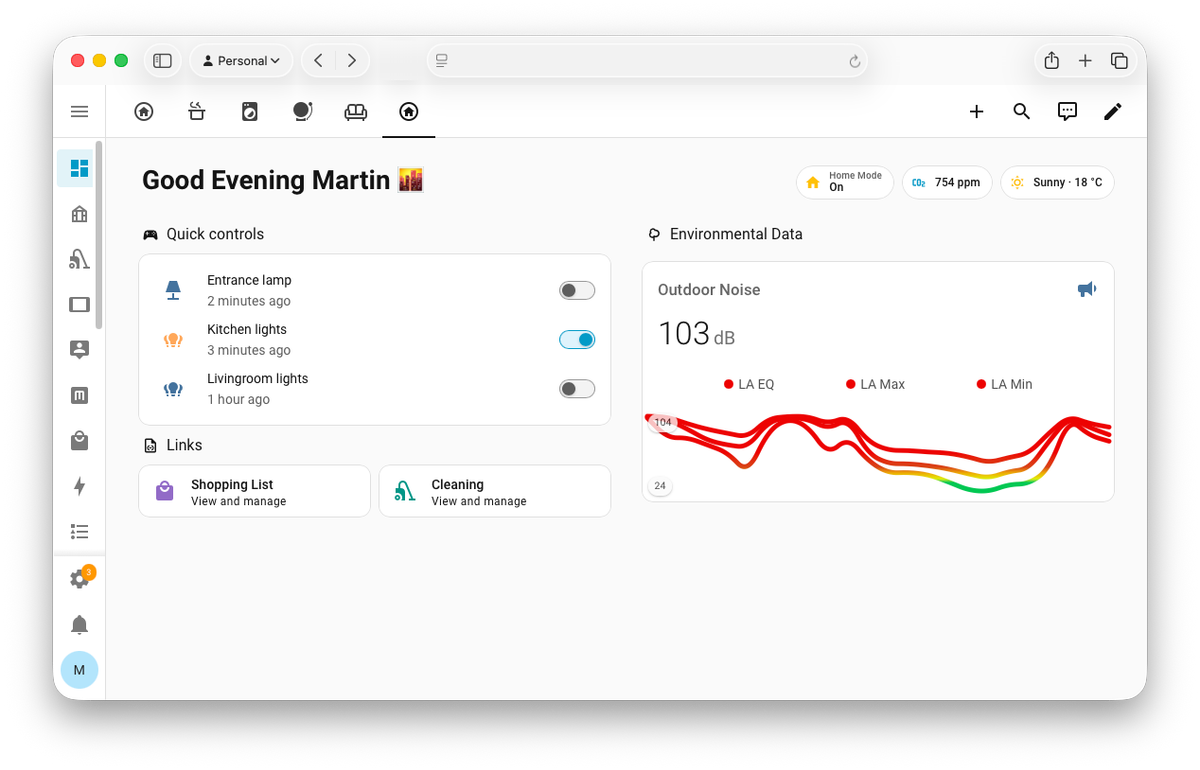
Every morning, my flat wakes up before I do. The lights go from dark red to bright white like a sunrise, music starts playing, and by the time my alarm goes off the room is already telling me it's time to get up. Every evening, it winds down with me. The lights get warmer, the music gets softer, and at some point I realize I'm already half asleep.
I didn't plan for it to become this much. But whenever I notice something annoying in my day, I end up solving it. My first smart lights were Philips Hue, over 10 years ago. Home Assistant has been running for over 6 years. Some automations are 2 years old, others a few months. The list just keeps growing.
This post is not a how-to guide. It's more of a list of everything my setup currently does, partly because people keep asking, and partly because I wanted to write it all down for once.
What's in the flat
Before getting into what things do, here's roughly what's physically spread around:
- The brain: Home Assistant running on a Raspberry Pi 4 with an SSD
- Music: a smart Sonos speaker, Music Assistant plugin running on Home Assistant
- Smart lights: Hue Bridge, Hue lights and IKEA lights
- Sensors: indoor air quality (CO₂, VOCs, particulate matter), outdoor air pollution and noise, two microphones (one inside, one facing the street), motion sensors, door and window contacts, temperature, humidity
- Connectivity: Bluetooth proxies throughout the flat, most critical infrastructure wired (speaker, Hue bridge, Pi), sensors mostly on Zigbee
- Power monitoring: light impulse reader on the power meter plus smart plugs tracking consumption in specific areas
- Displays: two eInk screens (desk and fridge)
- Voice: Voice Assistant PE
- Controls: buttons & controls spread around the flat with specific purposes (eg. the one near my bed has sleep and relaxation scenes programmed in)
- Other: Camera, UPS for power outages, ESP modules
Sleep
This is where the most thought went in, because sleep affects everything else.
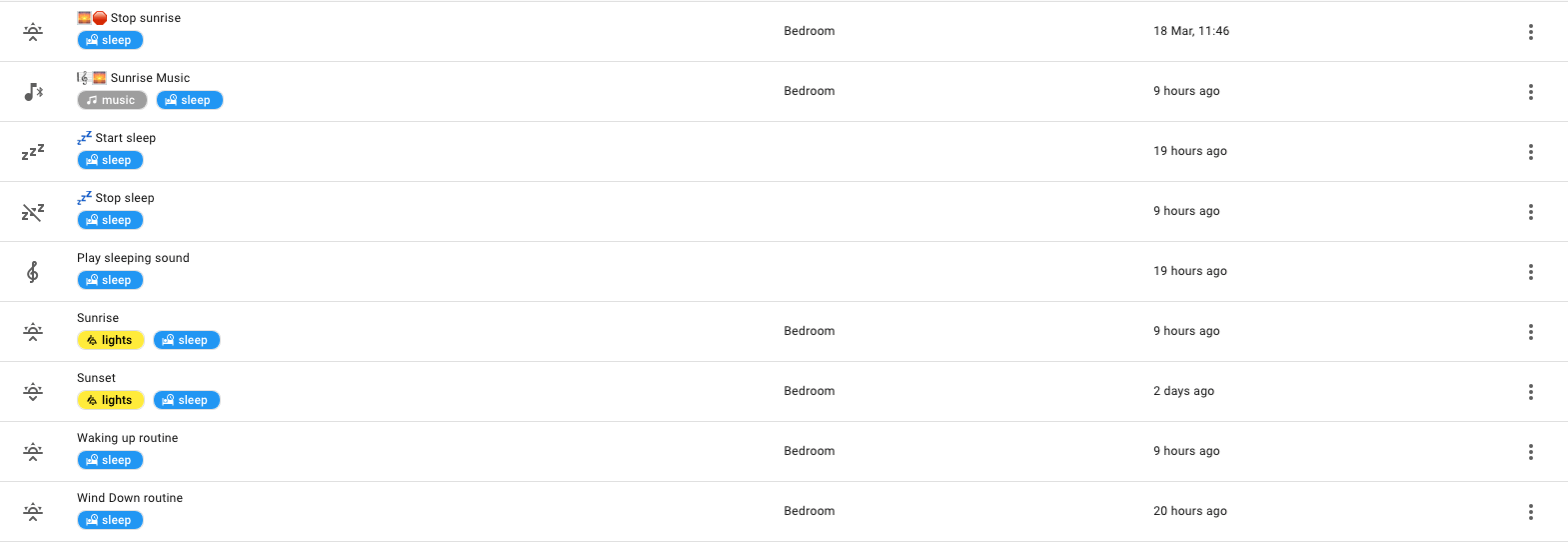
All three automations below (sunrise, sunset, bedtime) are triggered through iOS Shortcuts, tied to my alarm. If I move my alarm by half an hour, everything shifts with it. I set it once and forget about it. If you use Apple devices, I can really recommend this (I'm sure there is something similar for Android).
Sunrise alarm. Lights start red and yellowish, like an actual sunrise, and over 15 minutes shift to bright cold white. Random music starts playing and slowly gets louder. I did this because I don't listen to much music during the day, so I wanted to at least start with some. My phone sits on the other side of the room, so I have to get up. Yoga mat out, some movement, then a walk or run.
Sunset wind-down. Starts one hour before bedtime. Lights transition to warmer and warmer tones, finishing with a deep red. Relaxing music starts through Spotify: soft piano, gentle guitar, ambient melodies.
Bedtime noise machine. Warm pink noise, not too loud. Masks low-frequency traffic noise and sounds from within the building. (I btw recently did a sleep noise investigation). If you're inspired, make sure to not put noise machines too loud, they can affect your sleep stages.
Night bathroom light. Motion sensor below the bed turns on a very dim red spot when I get up. Enough to not walk into things.
AC sleep cycle. Cools the room to around 18-19°C to help me fall asleep, then gradually eases off the cooling through the night. Not heating, just cooling less. The body naturally warms up toward morning, so the AC isn't working against it.
Lighting
Entrance and kitchen are fully motion-controlled but adapt to the time of day. During the day: cold and bright (if not enough daylight). Around sunset: warm and bright. Evening: warm and dim. I never touch a switch in either room.
Bedroom and office area are also equipped with smart lights. Presets for different times and conveniently placed buttons and switches where I would need them.
Voice assistant
My favorite part of the whole setup.
It runs locally for basic commands, and for anything more complex it uses a Gemini model to figure out what I actually mean. So I can say "hey, the people in the video call say they can't see me well" and it turns on the desk lamp.
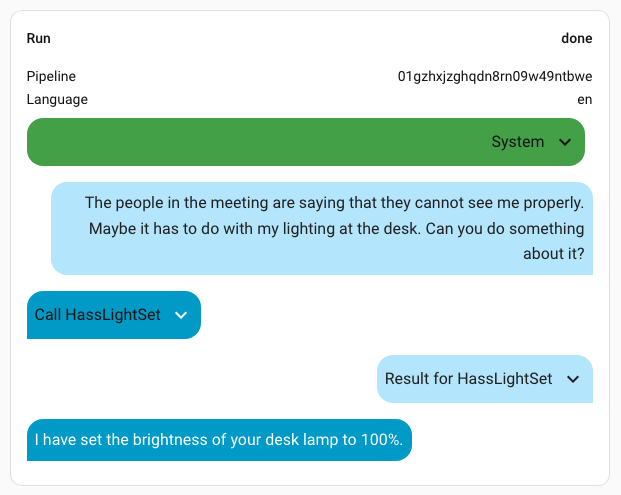
I regularly use this feature to chain commands such as "turn on the AC and turn off the lights".
Another neat automation I built: during the week, if I come home after being out for 6+ hours, the voice assistant launches on its own and asks how I'm feeling. Depending on my reply it might put on some relaxing music and set the lights to a nice scene. I didn't expect to like this as much as I do. Walking in after a long day and having the flat just react to that is really nice.
Air quality
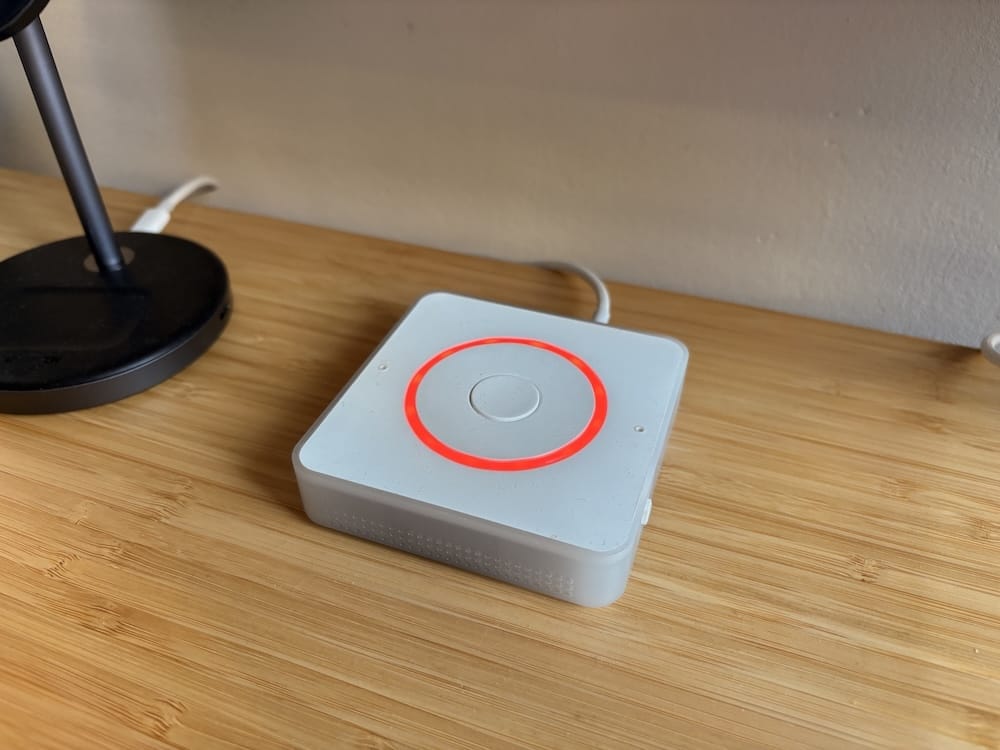
CO₂ indicator. A red LED turns on when CO₂ gets too high. Good reminder to open a window while working. Stays off at night.
Air purifier. Kicks in automatically when VOC levels or particulate matter go up. Doesn't turn on when diffusor runs (big fan of lavender or cedarwood smells). Also shows the current PM value through a built in LCD display which obviously turns off when I'm asleep.
Training
I have a Wahoo Kickr indoor trainer. When it connects to the network, Home Assistant turns on the AC. So when I'm about to get soaked in sweat, at least there is a nice cool breeze in the room.

The small things that add up
Not everything needs its own section:
- 🚿 Bathroom availability notification: if someone's using the bathroom and I need it, I press a button or ask the voice assistant to notify me when it's free
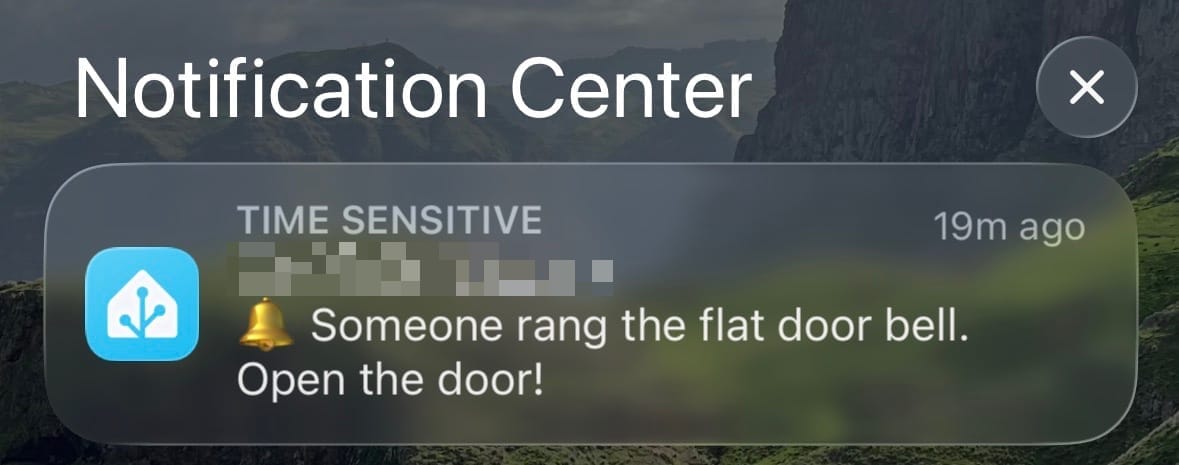
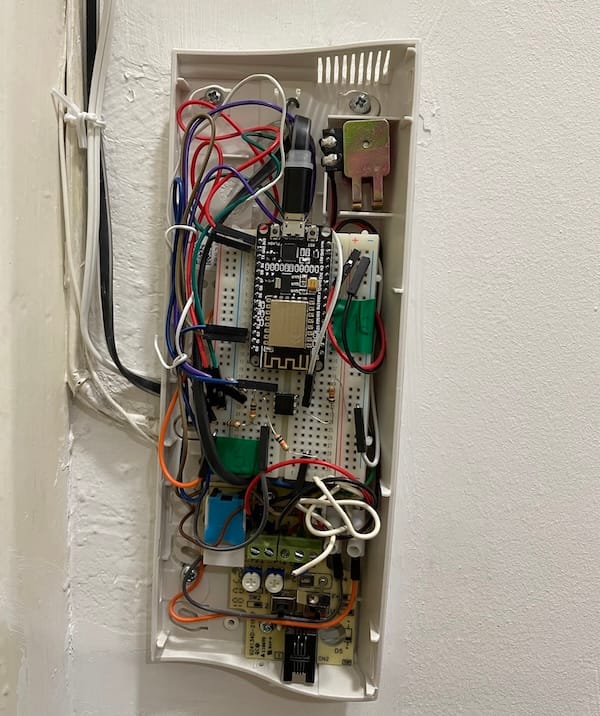
- 🔔 Doorbell notifications to all devices, via an ESP wired into the doorbell cables
- 🍽️ Dishwasher and washing machine send notification when done
- 🧊 Fridge and freezer alert if left open
- 🔋 Low battery notifications for sensors before they die on me
- ⚡ Power outage notifications via the UPS. Keeps my home lab running long enough to shut down gently, and keeps the router and camera powered so I still get notifications. If the power goes out while I'm away, I want to know, it might be a fuse or it might be worth calling a neighbor. Also worked great that one time an entire country lost power 🇪🇸 😅
- 🛒 Shopping list reminders if items sit there too long
- 🧍 Standing desk reminders via ESPHome height detection: tells me to stand if I've been sitting too long (and vice versa). Also nice to see those metrics.
- ⚖️ Bathroom scale auto-pushes metrics to my eInk display and Garmin* account (Garmin* uses weight info to calculate some metrics)
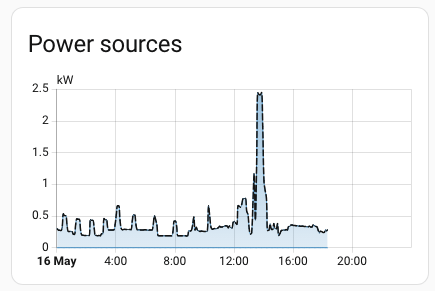
- 📊 Energy consumption and cost tracking from the power meter and smart plugs

- 📷 Camera auto-enables when I leave, physically power-cut when I'm home
Weather
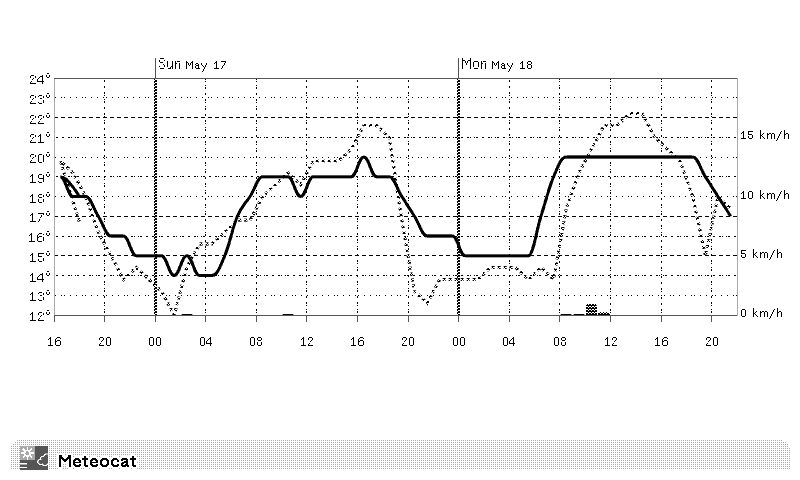
The most reliable weather forecast where I live doesn't have a public API. So I wrote a scraper for their mobile page that captures the 3-day hourly forecast, caches it on my server, and Home Assistant queries it regularly. I'm a runner, so the eInk displays conditionally show the forecast when rain is expected within the next 3 days. Helps me decide whether to run in the morning, during lunch, or in the evening.
Displays
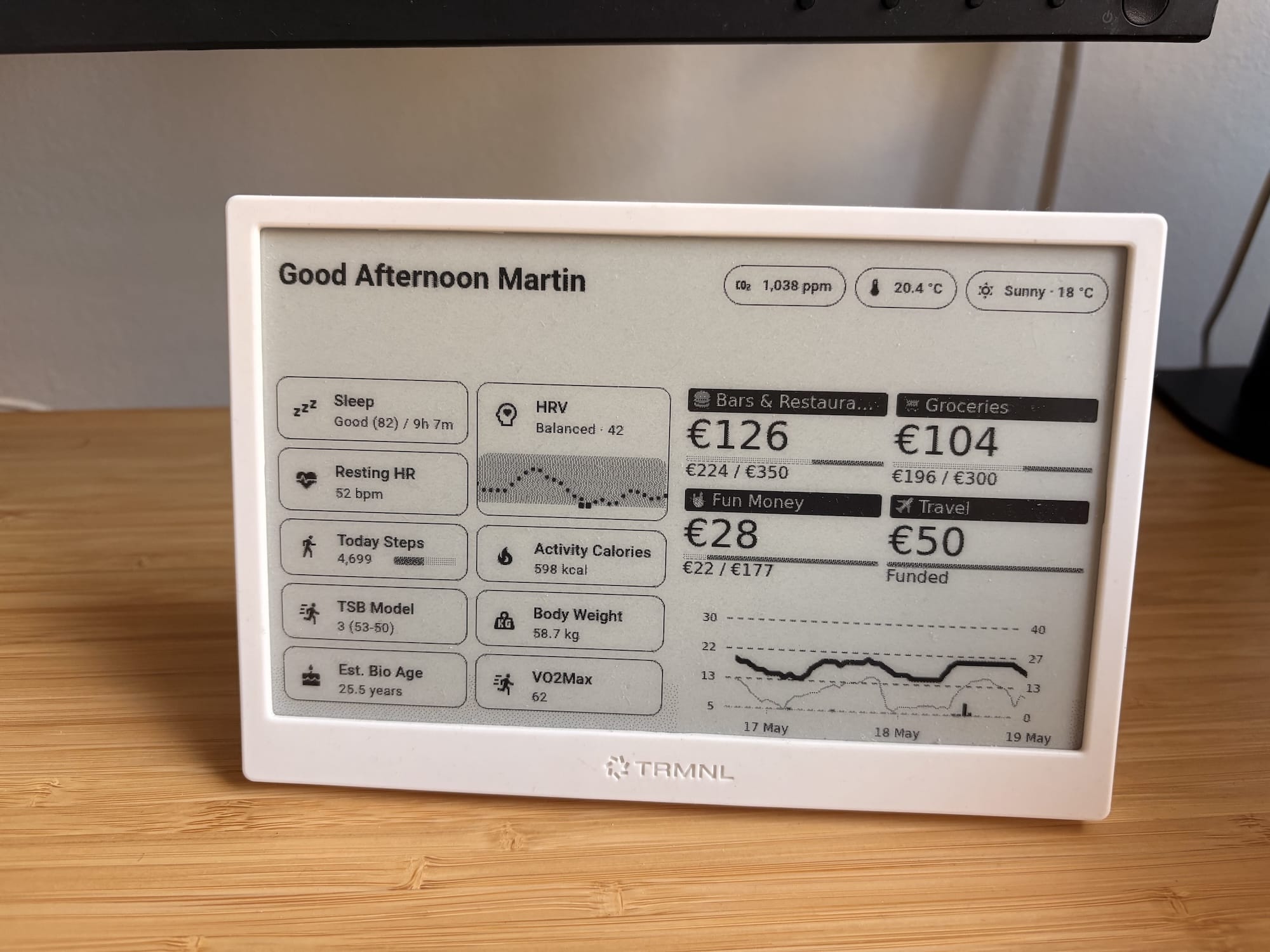
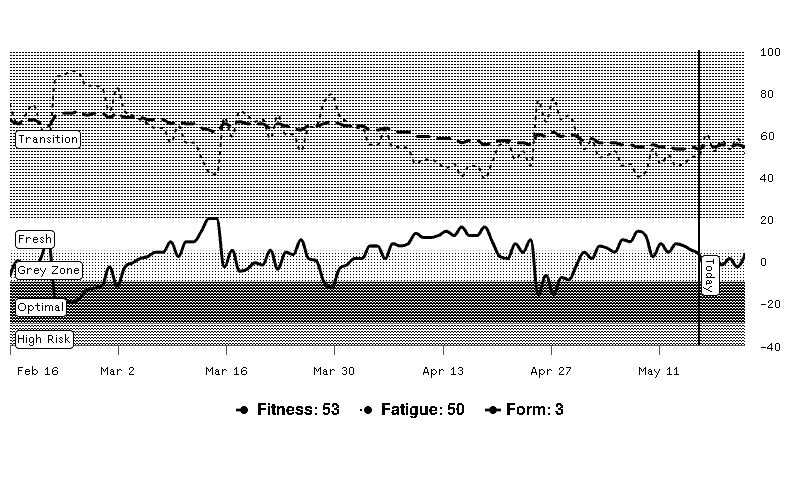
I use a TRMNL (referral link) for this. The one at my desk shows some budget categories, biomarkers, training plan, rain forecast, and more. If any services in my home lab are down, it shows that too. It doesn't emit any light which I love.
There are alternatives out there, but buying through that link gives me store credit, which will finally push me to order the latest version I've been putting off for months 😏
eInk display on the fridge. Another TRMNL, showing a shopping list (Home Assistant dashboard screenshot) and rain forecast. Simple, but I look at it constantly.
The way it works behind the scenes:
An Home Assistant app regularly takes a screenshot of my custom dashboard and sends it to my TRMNL via webhook (self hosted version available too). All the conditional logic based on what to display lives inside HA, so I can easily adjust my dashboards the way I want.
↪ What makes it work
None of these automations are impressive on their own. A sunrise alarm? A noise machine? A notification when the dishwasher is done? Small things.
But together, they take away a lot of the small annoyances from an average day. I don't think about when to dim the lights. I don't think about air quality. I don't check if the laundry is done. And when I get home tired, the flat already knows.
That's the part I like. Not that it's smart, but that it's quiet. The best automations are the ones I forget exist until someone visits and asks "wait, did the lights just do that on their own?".
I'm sure I'm forgetting things. I'll update this post as I remember them.
Ideas I'm still sitting on
- Occupancy sensors: Motion sensors detect movement, not presence. If I sit still in the kitchen, the sensor thinks the room is empty. Want to try occupancy sensors especially for the lighting.
- Color eInk art frames: A frame that updates every morning with something tied to the day: weather, a quote, generative art. Color eInk is still catching up though. Displays are expensive, the dithering and color mapping algorithms are mostly proprietary. Waiting for it to get more accessible.
- Local LLM for the voice assistant: Right now the complex commands go through Gemini. I'd love to run a local model so the entire pipeline stays on my network. Waiting for RAM prices to come down. Probably worth its own article.
Questions I usually get
- Isn't that a lot of maintenance? Not really. I took the time to think things through and handle edge cases. After the initial setup, most of it just runs. Perception might be different to yours, but I'm always watching out for the new monthly releases and watch the release livestream of Home Assistant -> basically a hobby to me.
- What if the Raspberry Pi goes down? I can still control the lights. Hue bridge works independently, physical switches still work. I also keep backups and have migrated from a weaker Pi before without issues.
- What if Wifi goes down? Most important things are wired. Sensors run on Zigbee, which doesn't depend on Wifi.
- Where do you run Home Assistant? Raspberry Pi 4 with an SSD. Will upgrade at some point, but it handles everything right now.
- Can you control things remotely? Yes. I use Nabu Casa Cloud from the Home Assistant team. Happy to support them. Tailscale or a VPN work too.
- Aren't you worried about getting hacked? I'm careful what I install and grant access to. Worst case: someone plays music, messes with lights, or turns on the camera (which makes a noise and shows a light, so I'd know). I also think about what I expose. The indoor bike detection works through a webhook from my router. I could have given Home Assistant full router access but I consciously didn't. The router just sends "trainer connected" and "trainer disconnected", nothing more. Same for the microphones, they themselves only push the relevant data to Home Assistant.
- Isn't this a bit much? Everyone has their hobbies. I like solving problems and accumulating data. The same way some people spend their evening watching TV, I sometimes spend mine making a new sensor talk to Home Assistant. I find it purposeful and exciting. Also a great way to play around with technology.
- How much did it all cost? Hard to say, things were added over years. A Zigbee sensor is a few euros, a smart plug around 15. The expensive parts (lights, AC, Indoor bike trainer) are things you buy regardless of whether you automate them. The automation on top is usually the cheap part.
- Where do you even start? Pick the one thing that annoys you most and automate that. For me it was the lights. Everything grew from there. I highly recommend Home Assistant. They keep making it more accessible for beginners. It's free but I'm an absolute fan and supporter, happy to "donate" the 5€ per month for Nabu Casa to make sure they can keep building the ecosystem.
just got the notification to stand up 🤓
*= I do not like Garmin, I think they're a fraudulent company systematically breaching consumer rights and I'm looking for alternatives. Already converted multiple people to Coros.